Why AlarmK Rings When Your iPhone Is on Silent
With the system alarm permission allowed, AlarmK rings through the same path as Apple's Clock app — through Silent mode and through Focus. Here is what that permission changes, why iOS 26 is required, and how this differs from an ordinary notification.
AlarmKit is the system alarm API Apple introduced in iOS 26. It lets a third-party app schedule alarms that use the system alarm experience instead of relying only on ordinary notifications.
AlarmK is a mission alarm app for iPhone built on AlarmKit. That is why it requires iOS 26 or later.
Looking for the AlarmKit API itself? Apple's AlarmKit documentation is where to start — this page is about the app, not the API. We also wrote up what we learned shipping on it.
Free on the App Store · Requires iOS 26 or later
What is Apple AlarmKit?
AlarmKit is the system alarm API Apple introduced in iOS 26. Before it, a third-party alarm app had one delivery path available to it: a notification. AlarmKit adds a second, and AlarmK is built on it.
Why AlarmK requires iOS 26
On iOS 18 and earlier there is no AlarmKit, so a notification is the only way to ring — and with the ringer switch on Silent, a plain notification has no way to make a sound. Rather than ship an alarm that might stay quiet, those versions are not supported.
If you already installed AlarmK on iOS 18 or earlier, you can keep using the last compatible version, 1.2.0, under App Store policy.
The two permissions, and what each one changes
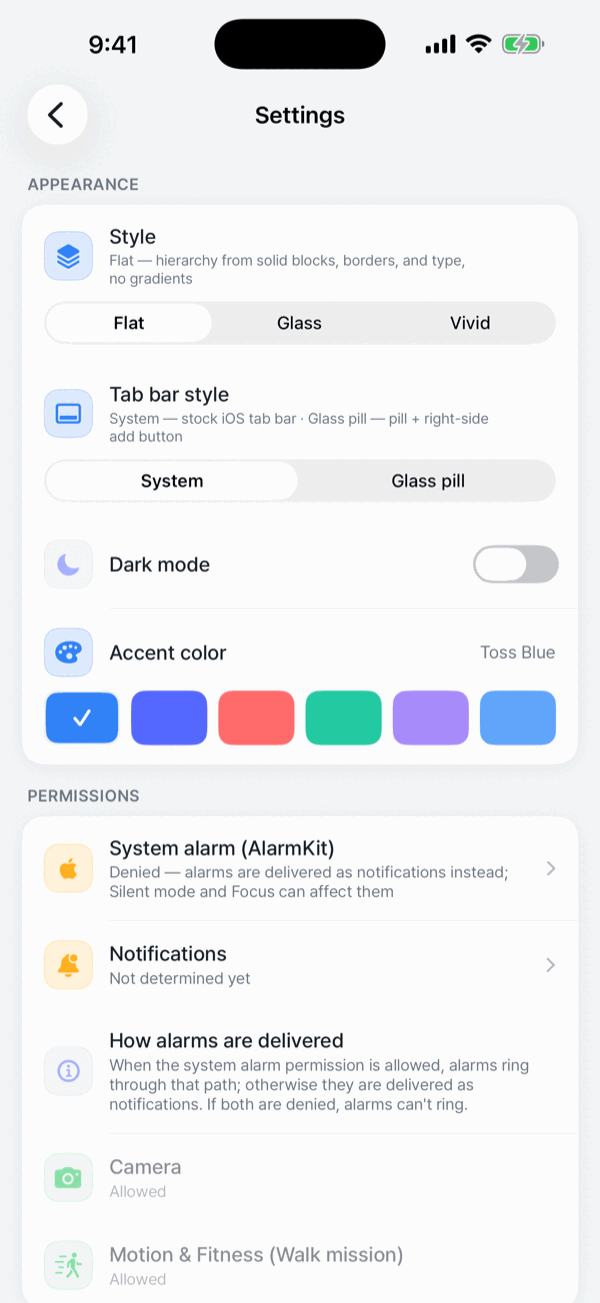
AlarmK asks for two permissions, and it is worth knowing what each one buys you.
- System alarm (AlarmKit) — allow it and your alarms ring through the same path as Apple's Clock app: through Silent mode and through Focus, full screen on the Lock Screen.
- Notifications — allow it and you can add AlarmK to the allowed-apps list in Settings › Focus. It is also the delivery path for alarms scheduled before the system alarm permission was turned off.
In 1.6.0, new alarms cannot be saved or turned on without the system alarm permission. What each permission changes:
| Permission granted | How the alarm is delivered | Ringer switch on Silent |
|---|---|---|
| System alarm (AlarmKit) | The same path as Apple's Clock app — through Silent mode and through Focus, full screen on the Lock Screen. | Rings |
| Notifications only | New alarms cannot be saved or turned on. An alarm scheduled before the system alarm permission was turned off may be delivered as a standard notification, marked Delivered as a notification in your alarm list. | Makes no sound |
| Neither | The alarm cannot ring, and new alarms cannot be saved or turned on. | — |
How this differs from a notification alarm
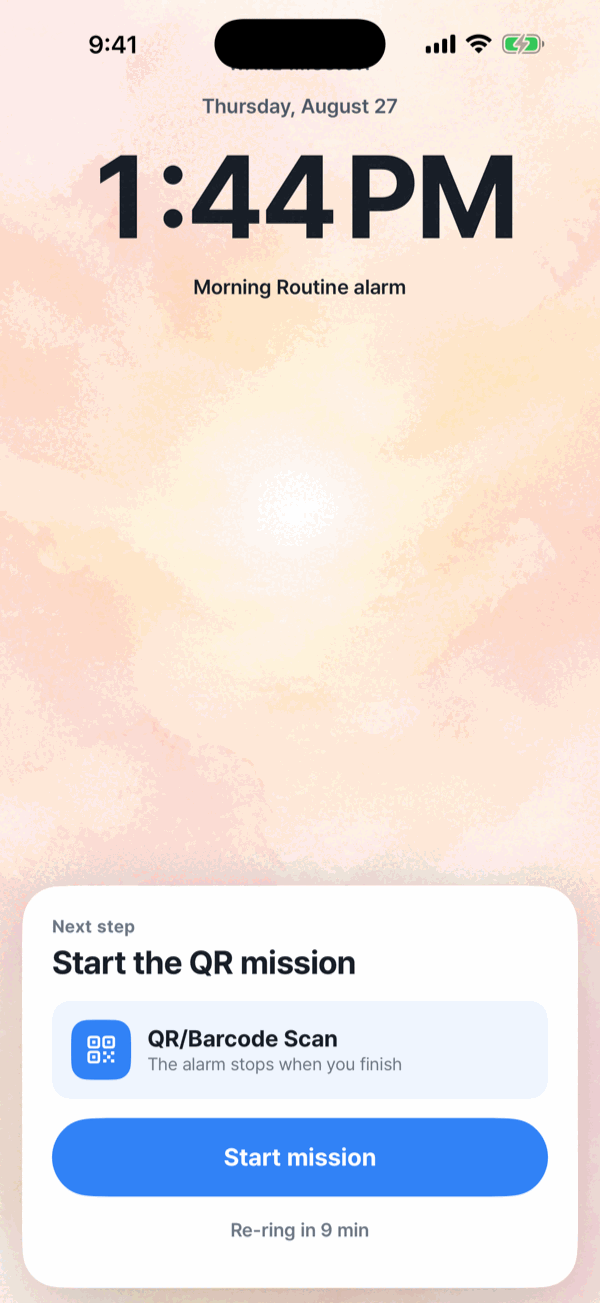
A notification is a single delivery, and the ringer switch can silence it. A system alarm is not silenced by the ringer switch or by Focus, and it presents full screen on the Lock Screen.
AlarmK does not hide which path an alarm is on. If an alarm is on the notification path, it carries a Delivered as a notification label in the list, so you can see the difference before the morning rather than after it.
An AlarmK alarm also keeps repeating until you turn it off — it is not a notification that chimes once. Repeats run for the re-ring duration in Settings › Wake behavior, 15 minutes by default. The Dynamic Island and the Lock Screen Live Activity carry the countdown before it rings, the ringing state, and then mission progress.
AlarmK does not work around your iOS settings
Everything above comes from the permission you grant, not from circumventing iOS. The ringing escalation setting, for instance, only touches the app's own audio; it never works around an iOS setting.
Apple Watch
iPhone alarms mirror to the wrist under the system's own rules, and the Live Activity appears in the Watch Smart Stack. But AlarmKit does not support watchOS yet, so there is no standalone Watch alarm and the mission has to be finished on the iPhone.
An alarm is an aid, not a certainty. AlarmK is built to reduce the situations where an alarm cannot ring, but it cannot prevent physical failures: a powered-off phone, a drained battery, a denied permission. No alarm app can. For anything that really matters, set a backup alarm in the system Clock app too.
Frequently asked questions
What is Apple AlarmKit?
AlarmKit is the system alarm API Apple introduced in iOS 26. It lets a third-party app schedule alarms that use the system alarm experience rather than relying only on ordinary notifications. AlarmK is built on it.
Which iOS versions support AlarmKit?
AlarmKit was introduced in iOS 26, so it is available on iOS 26 and later. There is no AlarmKit on iOS 18 or earlier.
Does AlarmK ring in Silent Mode?
When you allow the system alarm (AlarmKit) permission, alarms ring through the same path as Apple's Clock app: through Silent mode and through Focus, full screen on the Lock Screen. If you deny that permission, new alarms cannot be saved or turned on; an alarm scheduled before you denied it may be delivered as a notification instead, and a notification has no way to make a sound while the ringer switch is on Silent.
Does AlarmK work with Focus mode?
With the system alarm (AlarmKit) permission allowed, alarms ring through Focus on the same path as Apple's Clock app. If you rely on the notification path instead, allow notifications and add AlarmK to the allowed-apps list in Settings › Focus.
Does AlarmK support older iOS versions?
No. AlarmK requires iOS 26 or later. On iOS 18 and earlier there is no AlarmKit, so a notification is the only way to ring — and with the ringer switch on Silent, a plain notification has no way to make a sound. Rather than ship an alarm that might stay quiet, those versions are not supported. Anyone who already installed on iOS 18 or earlier can keep using the last compatible version, 1.2.0, under App Store policy.
How is an AlarmKit alarm different from a notification alarm?
A notification is a single delivery that the ringer switch can silence. An AlarmKit alarm uses the system alarm path, so it presents full screen on the Lock Screen and is not silenced by the ringer switch or by Focus. In AlarmK, an alarm on the notification path is marked “Delivered as a notification” in the alarm list, so the difference is never hidden from you.
Does AlarmK work on Apple Watch?
iPhone alarms mirror to the wrist under the system's own rules, and the Live Activity appears in the Watch Smart Stack. But AlarmKit does not support watchOS yet, so there is no standalone Watch alarm and the mission has to be finished on the iPhone.
Does AlarmK override my iOS settings?
No. The behaviour comes from the permission you grant, not from working around iOS. AlarmK's ringing escalation, for example, only touches the app's own audio; it never works around an iOS setting.
Written for AlarmK 1.6.0. Last updated 14 October 2026.